For dispatchers
Dispatch software for transport companies
- In real time
- Orders, trips and groupage
- Works with
- HERE · Timocom · EDI
3 days free, on Ultra Light and Light, with monthly payment
Orders, trips and groupage
Order list, with an order open
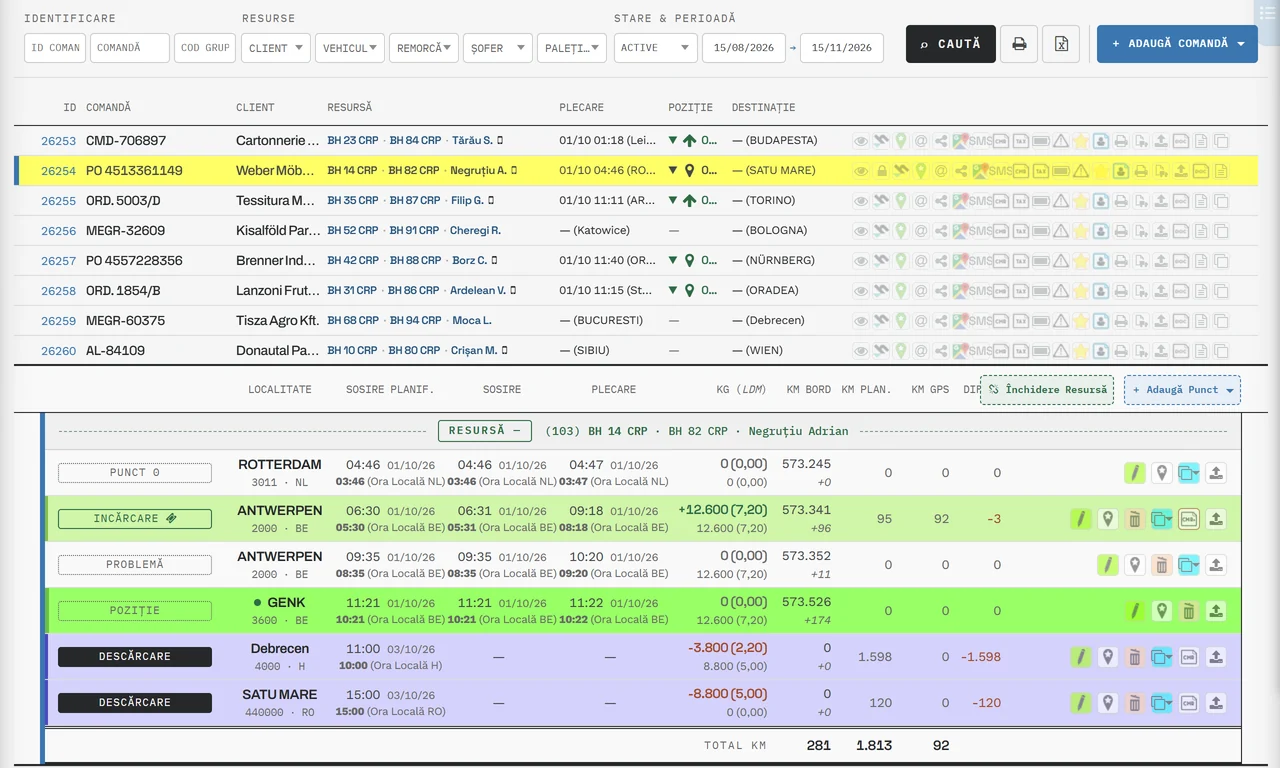
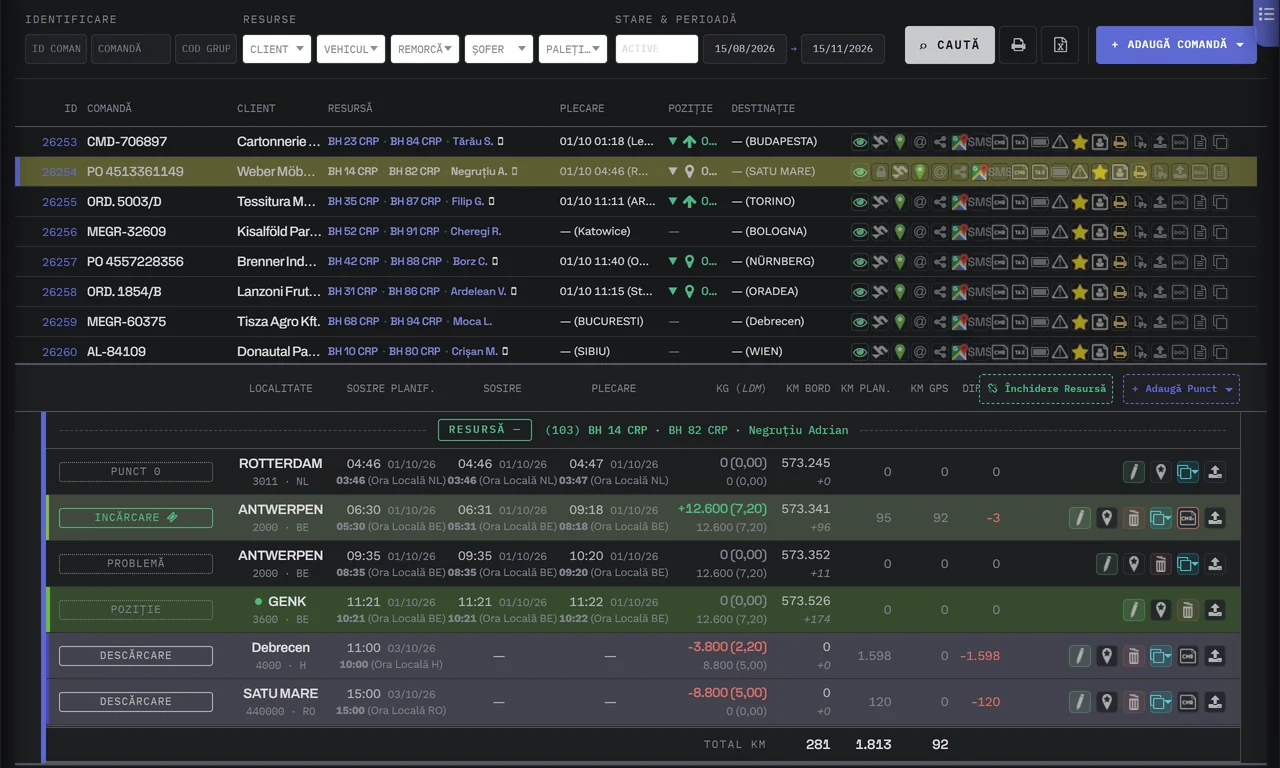
- Click an order: its points appear below
- Truck, trailer and driver
- Loadings and unloadings: place, time, kg
- Position: in one click, from GPS
- New order: from a template or with AI
The dispatcher sees it at once. The customer knows before calling.
The driverPress the button in the app at each point.Example with made-up data: order DEMO-2026-002, Oradea → Wien.
The button in the driver’s app. One press sends the confirmation at once to the software, to the customer’s email and to the tracking page.
-
CityArrivalMileageLoadingORADEA410000 · RO09:24 01/10/26538.214UnloadingWIEN1230 · AT09:47 02/10/2608:47 (Local time AT)538.779
At the officeEvery time the driver confirms, you get a message in the software.The time and the odometer km are filled in on the order automatically.
-
MIMaria Ionescu (DEMO LOGISTIK SRL)to dispo@nordwind.example
[Order Code: DEMO-2026-002], CJ 24 DMO / CJ 25 DMR has arrived at unloading - AT.1230 WIEN
Date and time: 2026-10-02 08:47 (UTC+2)
Location: AT, WIEN 1230The customer’s emailThe customer gets an email automatically when the driver confirms in the app.Following the rules in Customer Notifications. At unloading, with the CMR attached.
-
soft-transport.com/order.track.phpOrder R7DM-4QPX-T2WKIn progress1 of 2 stages done50%Loading · ORADEA, RODoneUnloading · WIEN, ATNext
The tracking linkOn their phone, the customer sees what is done and what comes next, with no account and no password.The page does not show times, addresses or the carrier.
Messages sit next to the order.
- Read or unread
- Green tick or red mark
- Order number
- Opens the order summary
- Internal messaging
- Free and unlimited
Example with made-up data. On the left, the Messages window of the software: the list of conversations and the open conversation with the driver Andrei Pop, truck B 101 DEM, about order 4817. On the right, the driver’s phone. The dispatcher picks a message, the message reaches the driver’s app with the notification “You have received a new message”, and when the driver opens it, the red exclamation mark next to the message, “Unread by recipient.”, turns into the green tick, “Read.”. The order number in the message opens the Order Summary window. The green tick means “read by recipient” and the red exclamation mark means “not yet read” — this is how you see whether an important message has arrived or not. The order numbers in a message are clickable and open a summary of that order. You use the internal messaging, which is free and unlimited.
Example with made-up data. Pick a message for the driver.
Today
Order Summary
- Order code
- 4817 · DEMO-2026-001
- Order Date
- 06/10/2026
- Client
- DEMO Cargo SA
- Truck / Trailer
- B 101 DEM · B 202 DEM
- Driver 1 / Driver 2
- Andrei Pop
- Dispatcher
- Maria Ionescu
| Plan. Arrival | Town, Code, Country | Kg/LDM |
|---|---|---|
| 07/10/2026 09:30 | ORADEA, 410000, RO | 6200 |
| 08/10/2026 08:00 | WIEN, 1230, AT | -6200 |
Late, waiting at loading, upcoming.
- The tabs
- Loadings, Unloadings, Bookings
- The number on the icon
- Late + waiting
- Shortcut
- Ctrl+7
1 late
2 waiting at loading
2 upcoming
No loadings to do in the chosen period
2 bookings
Quick Orders Panel
Orders Panel (6)
- No order: B 707 DEM
- On the way to
- Waiting at
- Late
- No order
Dispatch sees the present, not just the orders.
- Truck Calendar
- Day by day, every truck
- Driver’s confirmation
- Reaches you at once
- Cost
- Included in every plan
Tuesday, 06/10/2026
Example with made-up data
-
One row per truck, one column per day, from Saturday to Friday: loadings, unloadings, the order that is only planned, and servicing. Today is underlined and yellow.
Drawing: the software window with Truck Calendar, from Saturday 03/10 to Friday 09/10; Tuesday, today, is underlined and yellow. Five rows: B 101 DEM, with the loadings in Oradea and Arad and the unloadings in Linz; B 303 DEM, with the loading in Nürnberg; CJ 12 ABC, left Timișoara on Monday for Wels, with Monday’s point green; B 505 DEM, the Planned row; B 707 DEM, the Interventions row, with today’s service.
-
The driver presses “I’ve arrived” in the app and the message reaches you at once, with the odometer kilometres. You press Search, and the point turns green: it is the last confirmed place.
Drawing: the envelope in the top bar shows a message: “I’ve arrived for loading B 101 DEM in 410000 ORADEA RO, odometer km: 538214”. The dispatcher presses Search, and the point at Oradea, in today’s column, turns green, with the circular arrow.
-
At “I’ve finished loading”, the customer gets the email with the CMR attached, and in your message you see who it went to. The email goes out only when the driver confirms, following the rules set for each customer.
Drawing: the second message: “I’ve finished loading B 101 DEM in 410000 ORADEA RO, KG loaded: 18400, Email: sent to logistica@exemplu.ro with CMR attached”. After Search, the departure time, 11:05, and the right-pointing arrow appear at Oradea.
-
B 101 DEM has also loaded in Arad, B 303 DEM has arrived in Nürnberg. For CJ 12 ABC the green stayed on Monday, in Timișoara: it was due in Wels at 08:00.
Drawing: three more messages: B 101 DEM arrived and finished loading in Arad, B 303 DEM arrived at loading in Nürnberg. After Search, the points at Arad and Nürnberg are green. For CJ 12 ABC, the point at Wels, planned for today at 08:00, stayed without confirmation.
-
One row per active order: the truck, where it is going and when it must arrive. The red triangle: it did not arrive at the planned time. The same truck can be on two active orders only in groupage; otherwise the software shows “Resource in use”.
Drawing: the Orders page; the dispatcher presses Orders Overview and the Orders Panel (5) drawer opens from the right. Plan: B 505 DEM, towards Wels; B 101 DEM twice, with the groupage cubes, on the way to Linz: the bubble of the first row says “4471 - TR-2047, Customer: DEMO Cargo SA, CIRC-41”, that of the second “4475 - TR-2051, Customer: DEMO Textil SRL, CIRC-41”; B 303 DEM is waiting at loading, in Nürnberg, heading for Cluj-Napoca; CJ 12 ABC, with the red triangle “Late”, on the way from Timișoara to Wels, Plan: 06/10/2026 08:00; at the bottom, B 707 DEM, with no order.
-
With one click you send the customer the order status: where the truck is and the planned arrival time. You can change the text before Send.
Drawing: the dispatcher presses the @ button on order TR-2051, for the customer DEMO Textil SRL. The Current Order Status window ID: 4475 has the recipient, the subject “Info [Order: TR-2051], B 101 DEM / B 202 DEM” and the text. After Send, the email reaches DEMO Textil: Location RO, ARAD 310000, the place of the loading confirmed at 14:25; IT IS ON THE WAY TO UNLOADING IN LINZ 4020 AT; Approximate arrival time 07/10/2026 12:30 (UTC+2), that is the planned unloading time, not an estimate from GPS.
Example with made-up data. The fragments are drawn after the screens of version 34.
Do you get the order as a PDF? The software enters it for you.
- Cost per order read
- Included in the subscription
- Hidden costs
- Only the options on the Pricing page See pricing
Example with made-up data. Source: a transport order as a PDF, in German, from Musterfracht GmbH. The Import Order window of the software, filled in from it: the number TO-24817 and the date, the customer, the contact person, the price of 1650 EUR excluding VAT, the remarks and the two points, loading in Nürnberg on 6 October and unloading in Cluj-Napoca on 8 October. Each piece of information in the document and its field have the same number, from 1 to 7. The company at unloading is new and has the label NEW, with “Company added, please check!”.
Example with made-up data: an order as a PDF, in German. The first 2 pages are read.
- You add the order. A PDF, a photo, or text copied from an email or WhatsApp.
- The software fills it in. Field by field, in a few seconds.
- You check and save. Whatever the software chose by itself is marked “please check!”. Nothing is saved without you.
In brief
What dispatchers who work in the software say
A much higher working speed, I can manage 50% more trucks than before, efficiency, the risk of making mistakes through the human factor is very low. In a few words: complexity, speed and safety.
Your company's automation starts today.
- Trial
- 3 days, on Ultra Light and Light, with monthly payment
or call 0756 777 722